Philometrix Philometrix
Desktop MMM · Windows & Apple Silicon Mac

Build the model. Diagnose it. Plan with it.

Marketing mix modelling with live previews, built-in diagnostics and budget planning. Your data stays on your machine.

Download Start a 30-day trial
30-day trial · Card required · £300/mo per seat, or £250/mo per seat billed annually
No cloud · No upload · Local by design
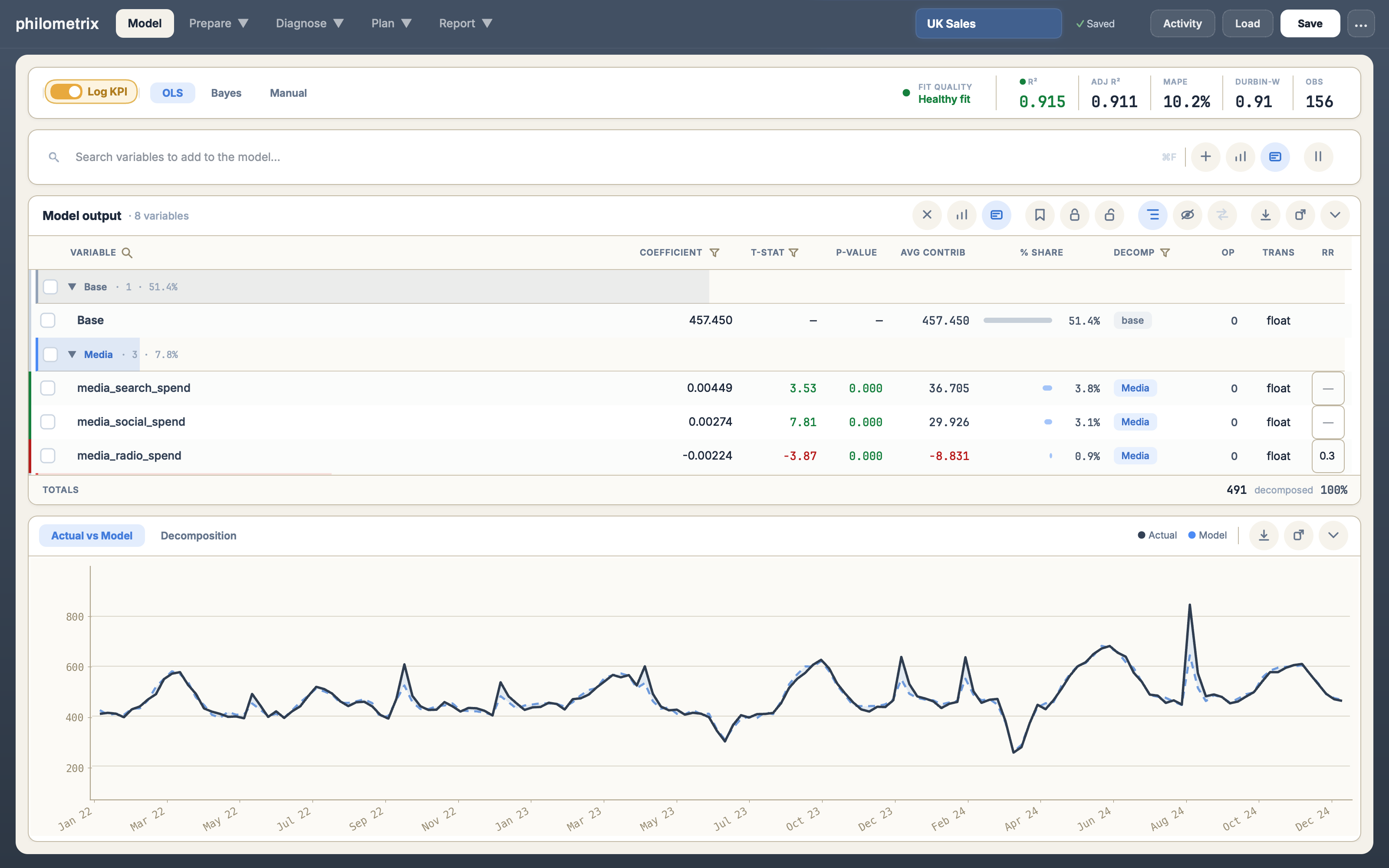
The Philometrix modelling workbench — the coefficient table above the Actual vs Model chart
01 · Build

Build the model. See what each change does.

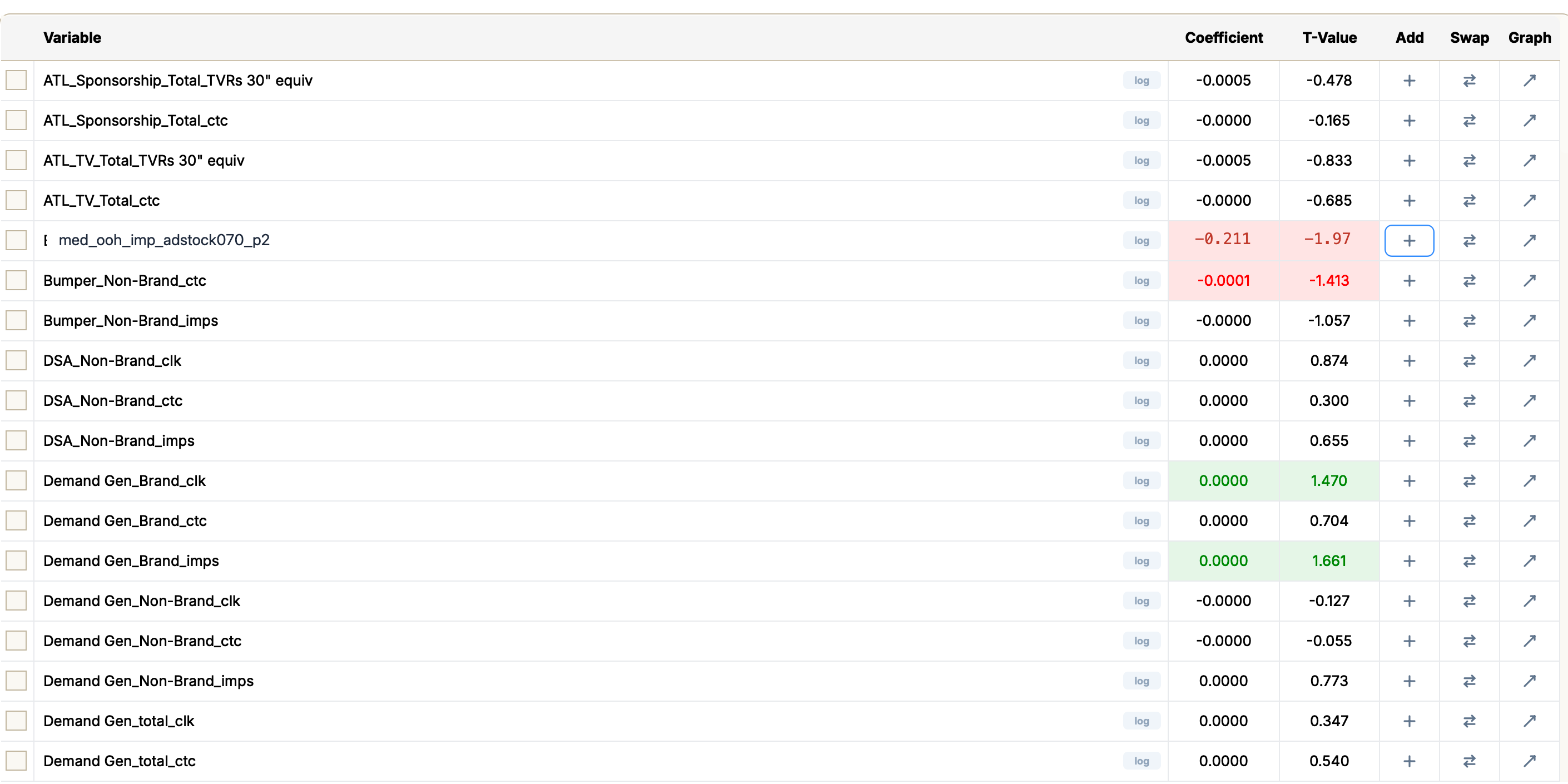
Search your data and see each variable’s coefficient and t-value before you add it. The preview shows what adding it would do to every variable already in the model. Log the KPI or any variable, and build transforms: splits, aggregates, dummies, lags, leads and moving averages.

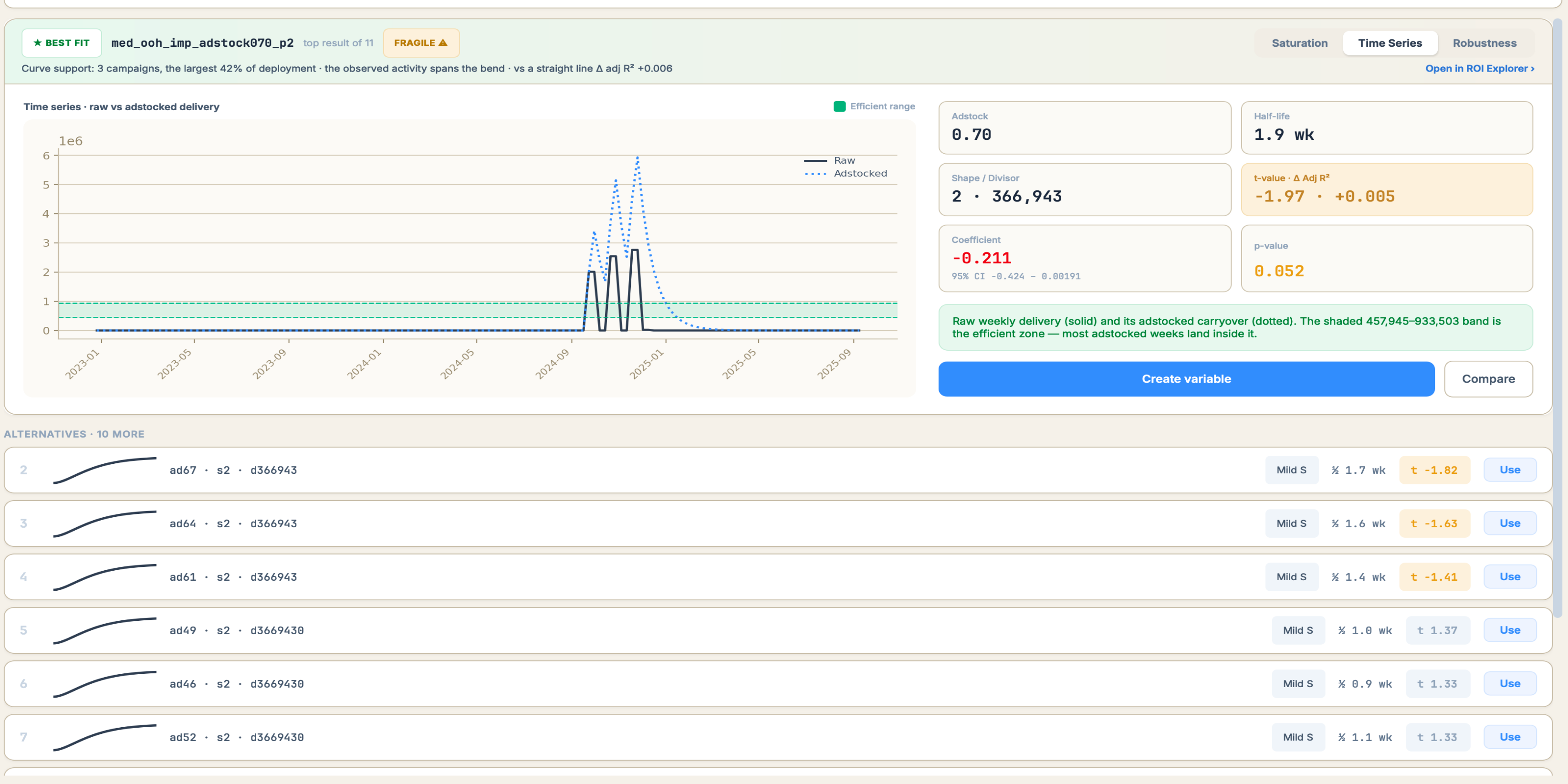
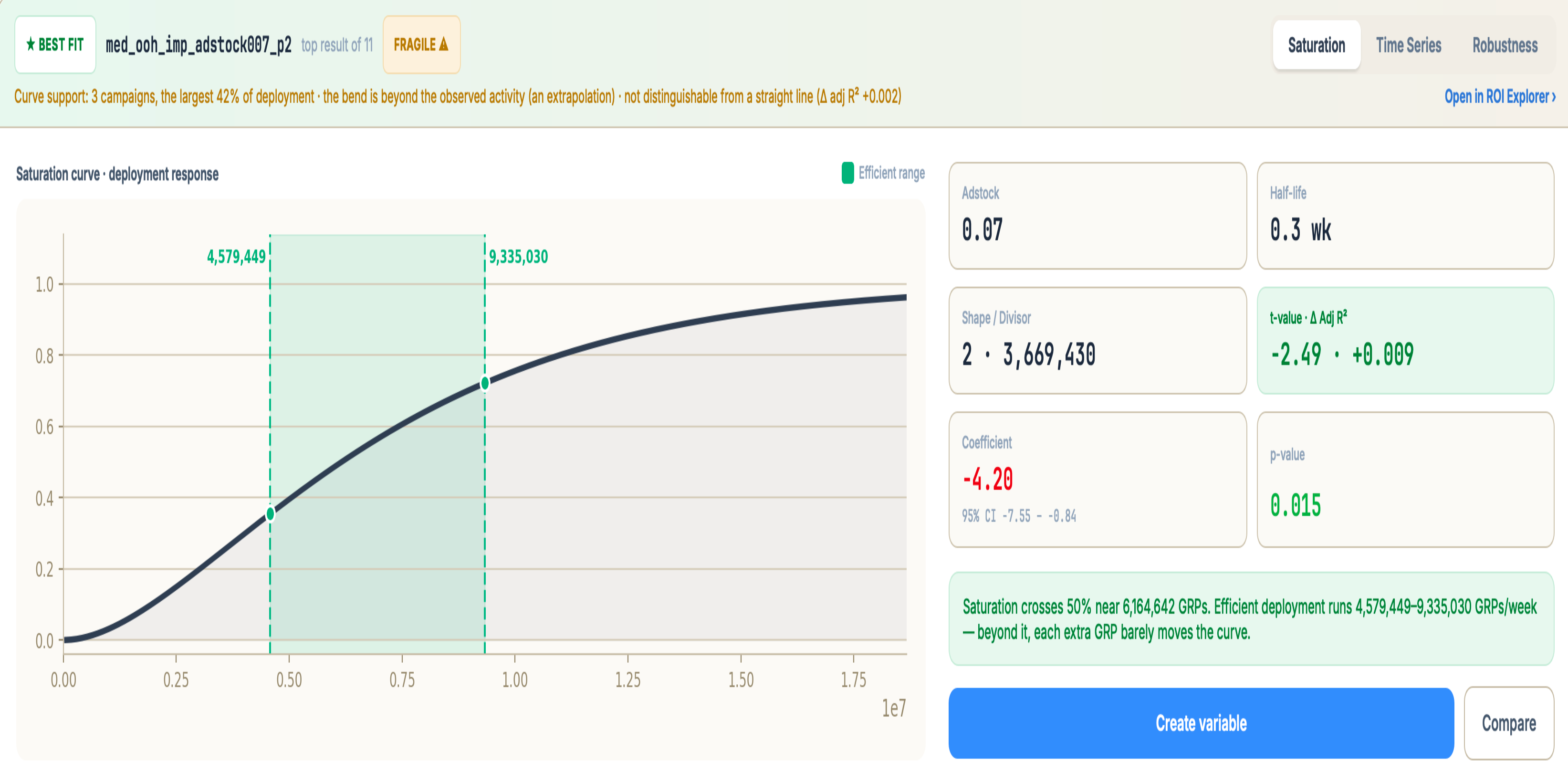
Curves searches adstock and diminishing-returns shapes and ranks them by t-value. Actual vs model and the decomposition update live as you build.

Search & preview
Variable search — every candidate with the coefficient and t-value it would have, med_ooh_imp_adstock070_p2 highlighted at -0.211, t -1.97
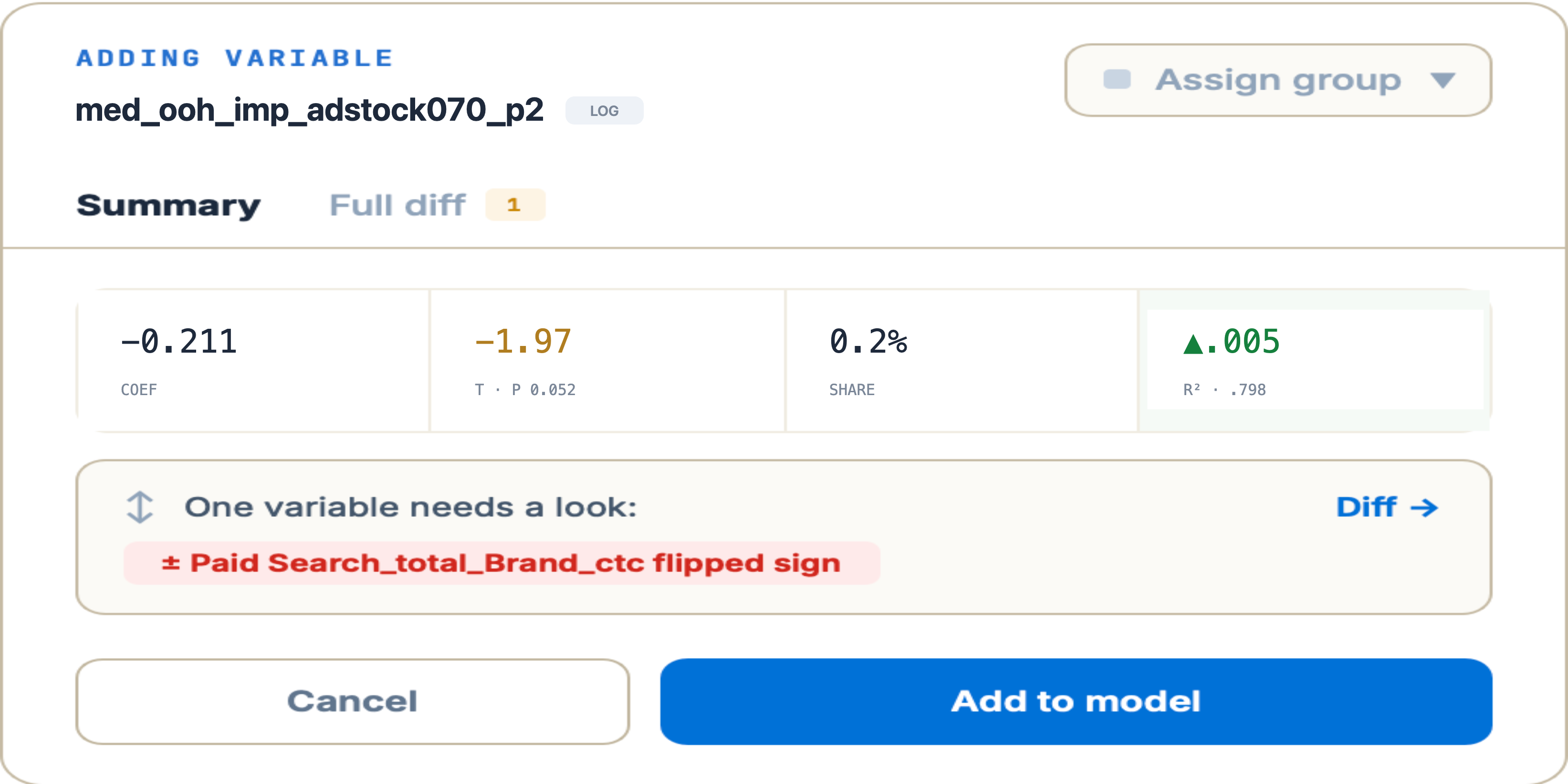
Adding variable med_ooh_imp_adstock070_p2 — coefficient -0.211, t -1.97 at p 0.052, 0.2% share, adj R² up .005, and a warning that Paid Search_total_Brand_ctc flipped sign
Diminishing returns
Time Series — raw vs adstocked delivery for med_ooh_imp_adstock070_p2, the efficient band, result tiles and ten ranked alternatives
Prepare, Curves — the saturation curve for med_ooh_imp_adstock007_p2, best fit and top result of 11, with the efficient deployment range marked
Understand the model
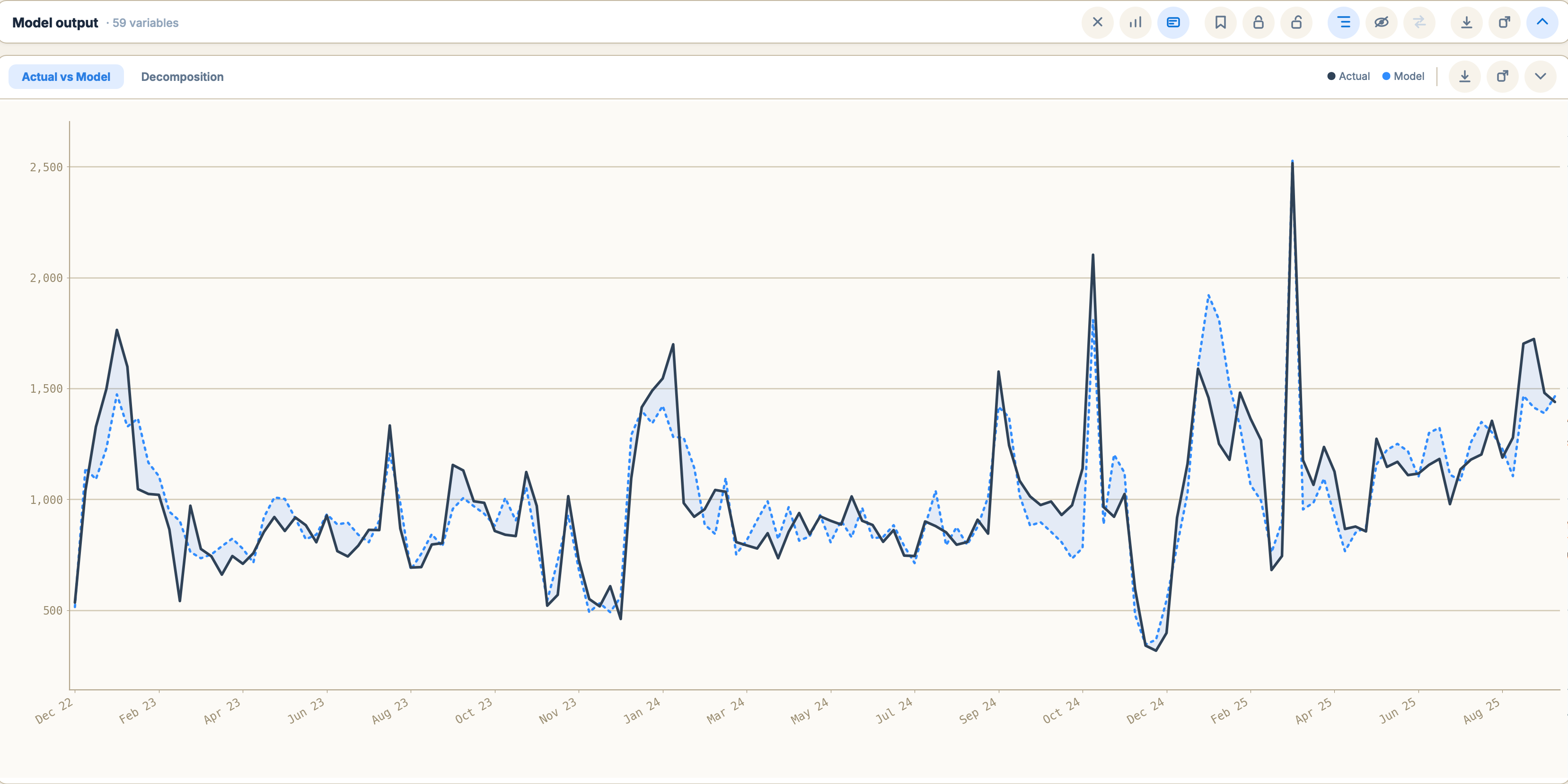
Actual vs Model — actual against fitted across the full period, with the gap shaded
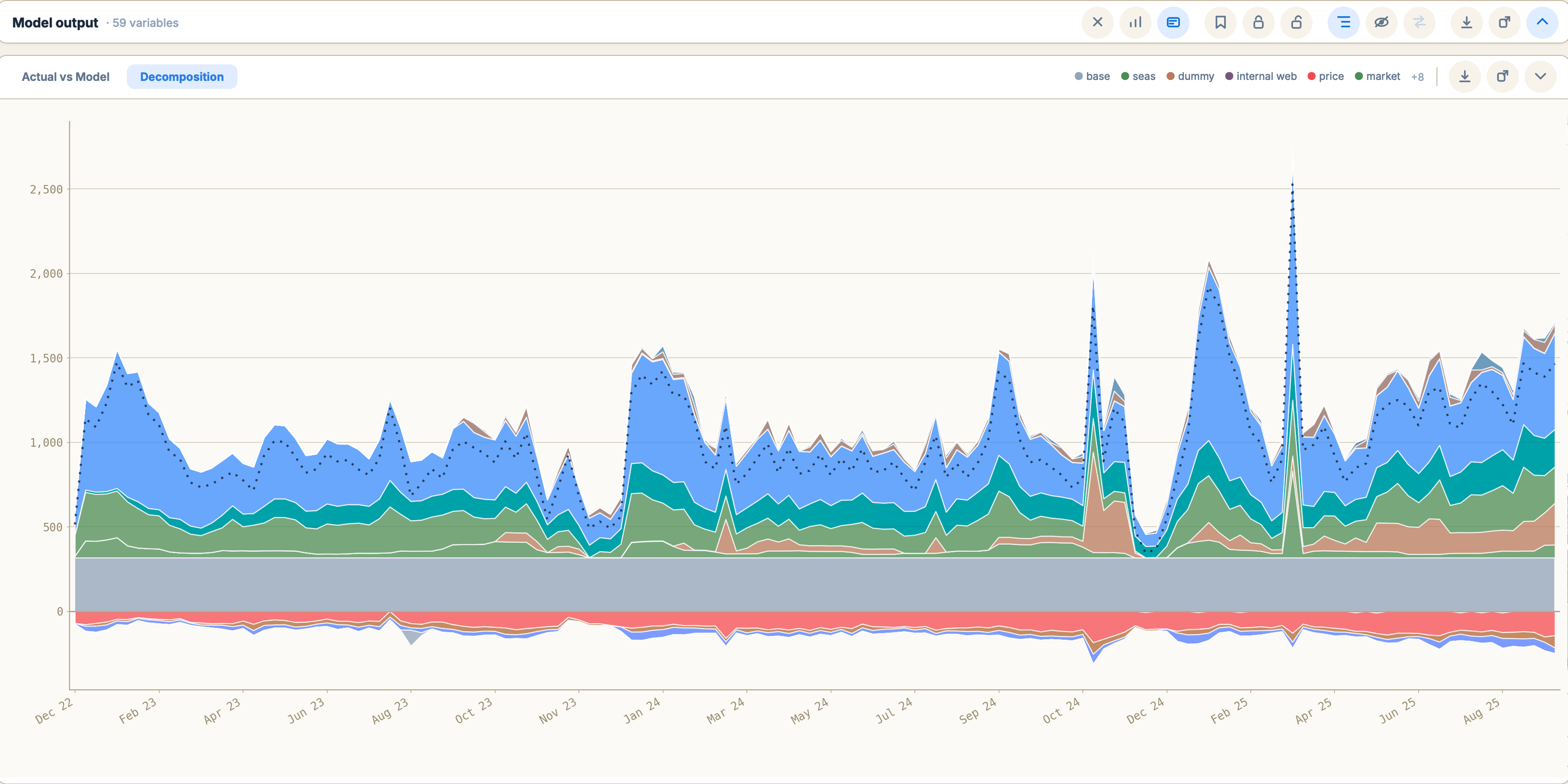
Decomposition — stacked contribution by driver: base, seasonality, dummies, media above zero, price below
02 · Diagnose

Find what needs review. Test a change before committing.

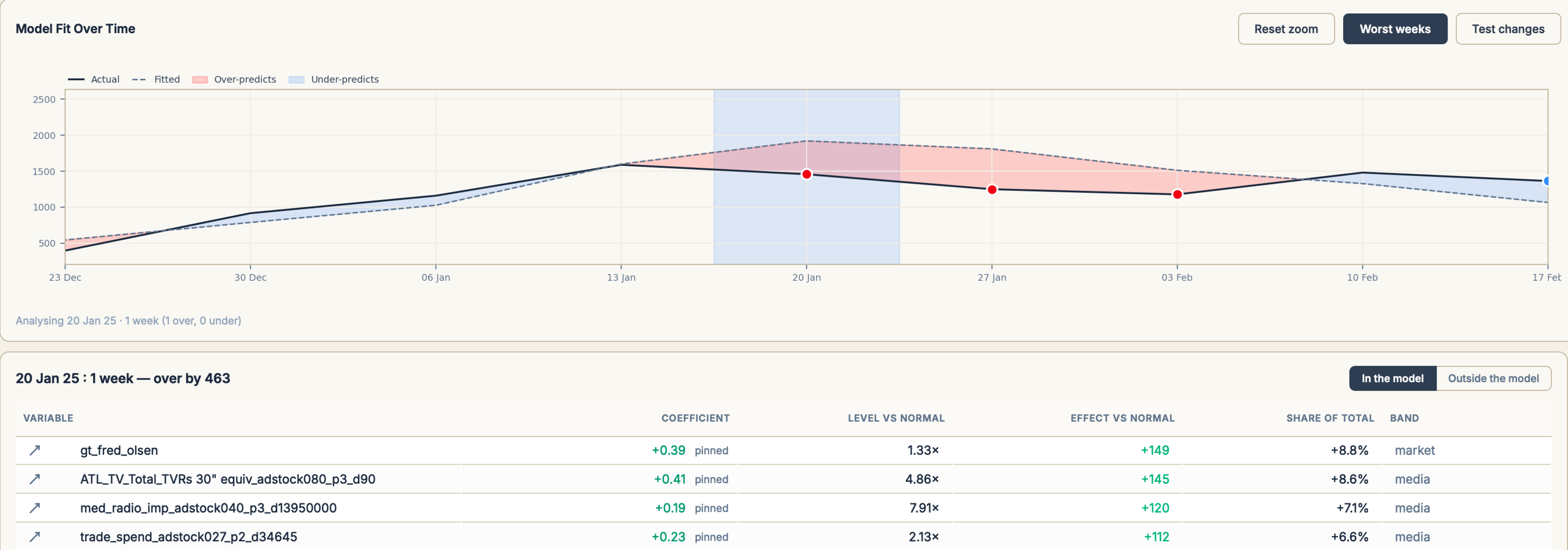
The Model Review checks every fit and says which sections need review. Behind it: the weeks the model misses, how ROI moves when adstock and shape change, and which channels return implausibly per pound.

Model Review · 2 of 6 need review · 142 weeks
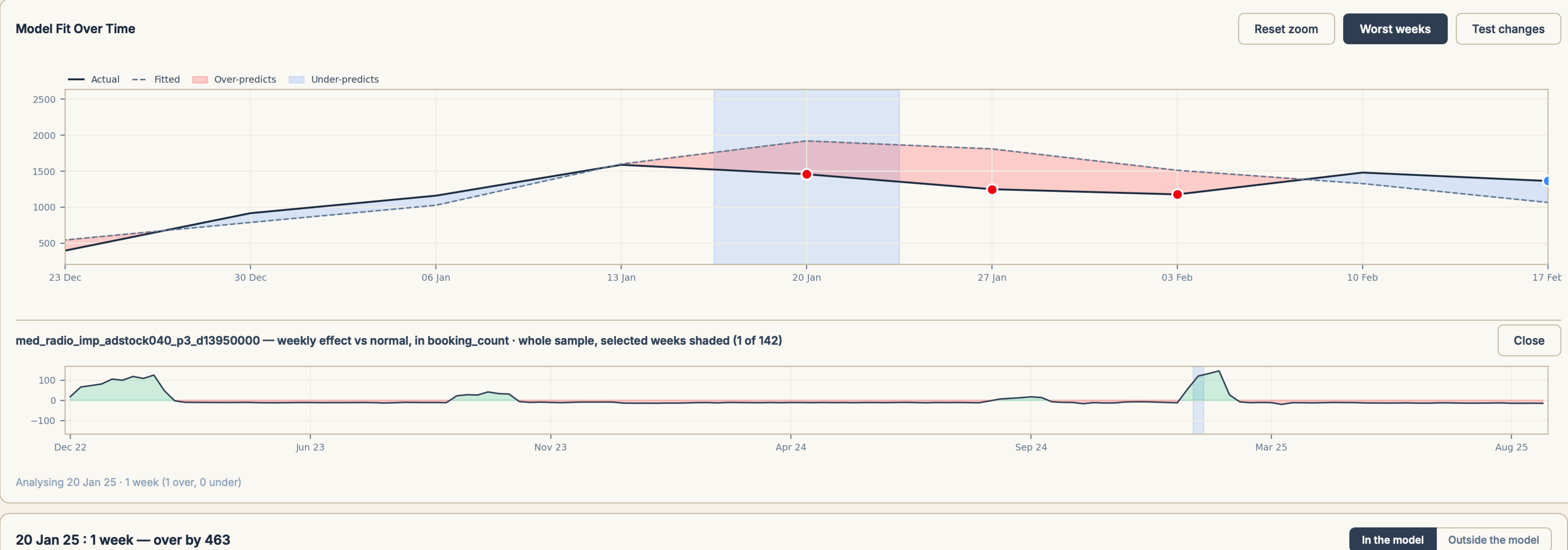
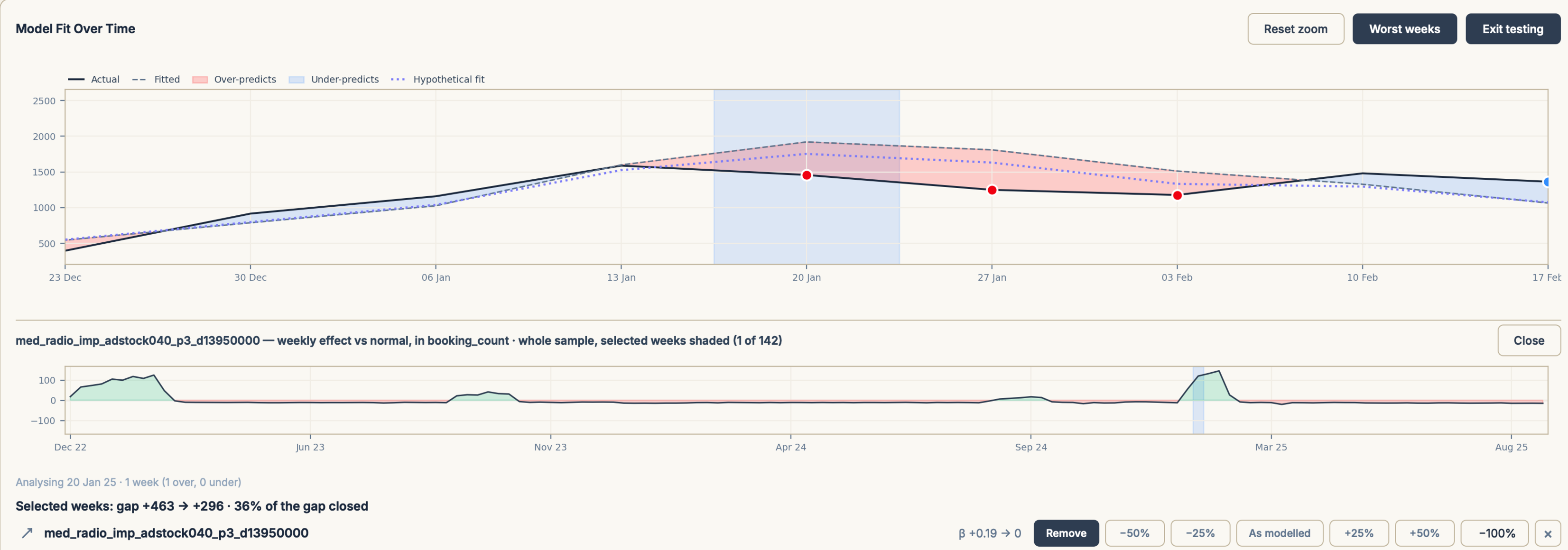
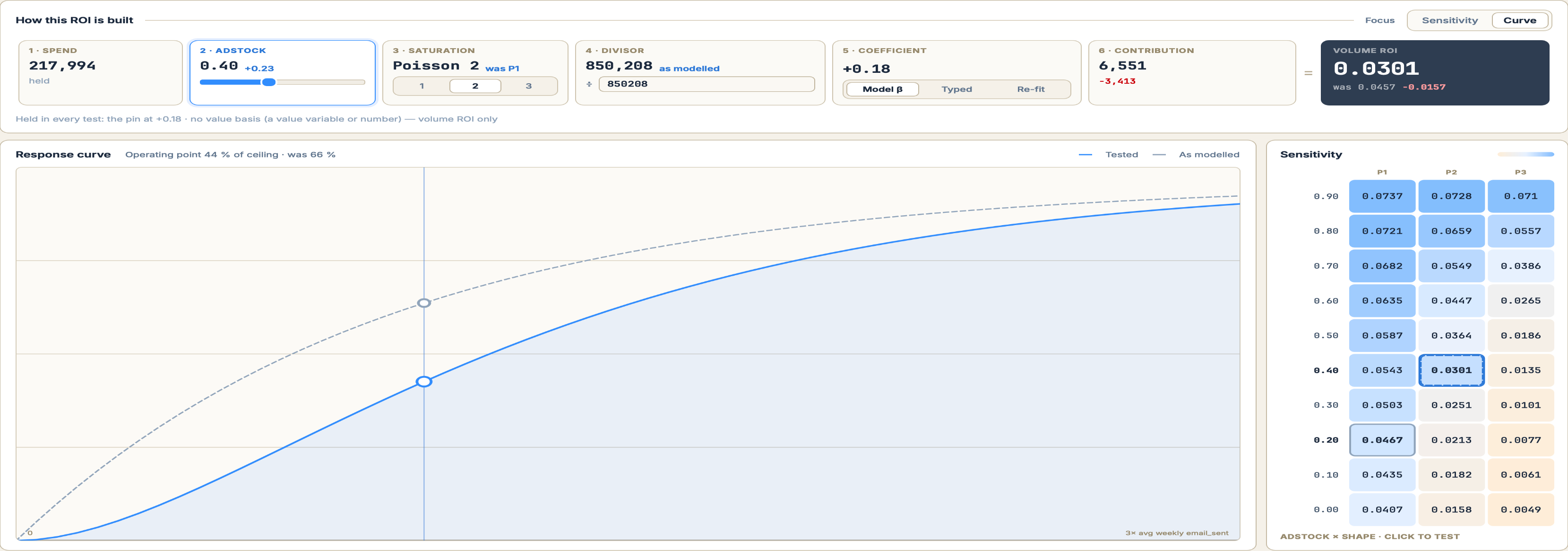
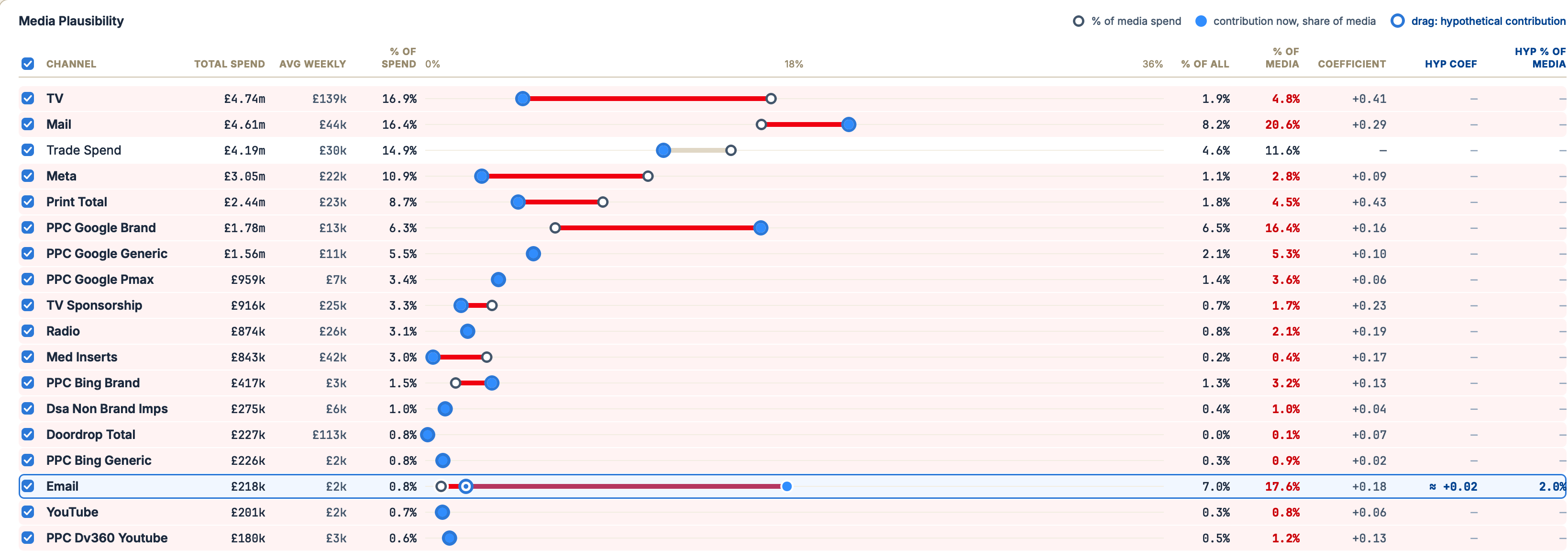
Model Fit Over Time — 20 Jan 25 selected, over by 463; the variables in the model ranked by effect vs normal that week Model Fit — 20 Jan 25 selected, over by 463; med_radio_imp_adstock040_p3_d13950000 weekly effect vs normal across the whole sample, selected week shaded Model Fit, testing — med_radio removed, beta +0.19 to 0; hypothetical fit drawn dotted; gap on the selected week +463 to +296, 36% of the gap closed ROI Explorer, Email — how this ROI is built: spend 217,994 held, adstock 0.40 (+0.23), Poisson 2 (was P1), divisor 850,208, coefficient +0.18, contribution 6,551 (−3,413); volume ROI 0.0301, was 0.0457; response curve tested against as modelled, and the adstock × shape sensitivity grid with the tested cell 0.0301 ringed Media Plausibility — 24 channels, share of media spend against share of media contribution; Email on 0.8% of spend returning 17.6% of media contribution, dragged to a hypothetical 2.0% needing a coefficient of about +0.02
Gap +463 → +296 · 36% closed
med_radio removed · β +0.19 → 0 · hypothetical fit dotted
03 · Plan

Plan where — and when — to spend.

Optimise your budget within the limits you set, or move spend by hand on the same curves you built and tested. Each move shows its reasoning and how sure the model is.

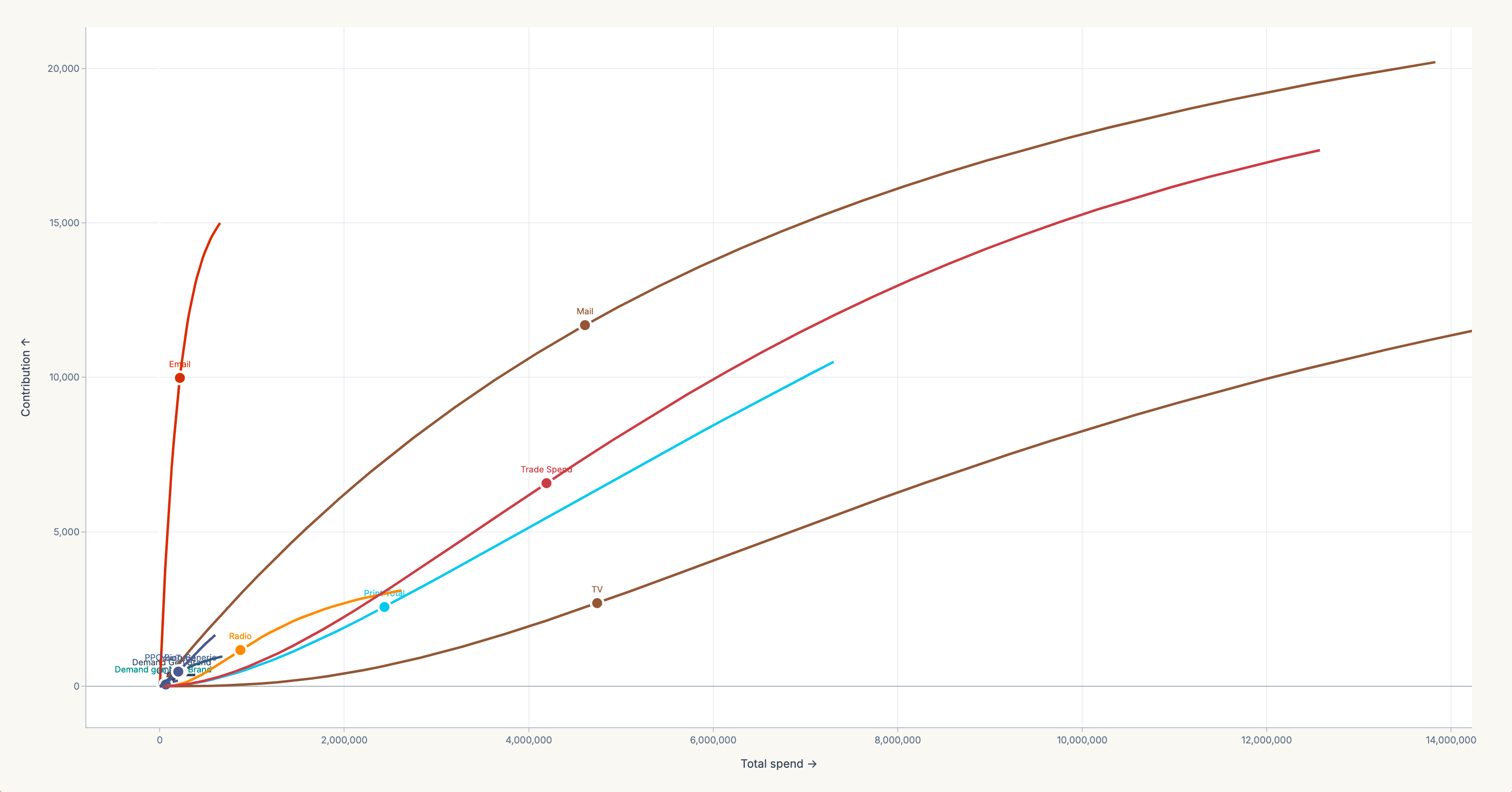
What-if · move it yourself£28.13M scenario · not the optimiser run
Suggestion: move budget from Doordrop Total to Email. Doordrop Total is 16% saturated with marginal ROI 0.00039; Email has headroom at 0.026. Estimated +0.4% volume at the same total spend. Apply
Response curves — contribution against total spend for each channel, with the current operating point marked on every curve
Doordrop Total 16% saturated → Email has headroom
Est. +0.4% volume at the same total spend · ± 3,051 · 90% confidence interval
Optimiser · £10.5M
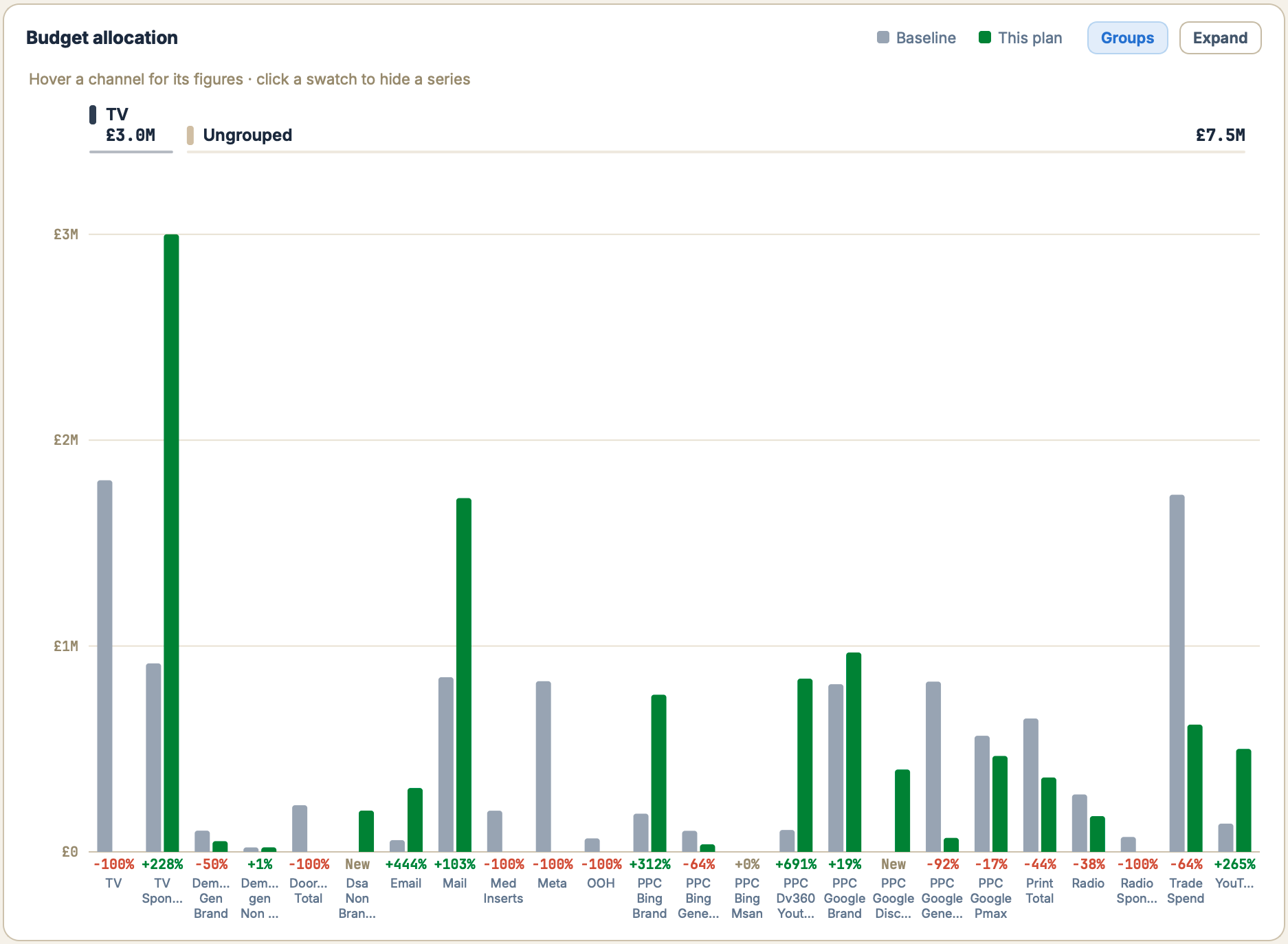
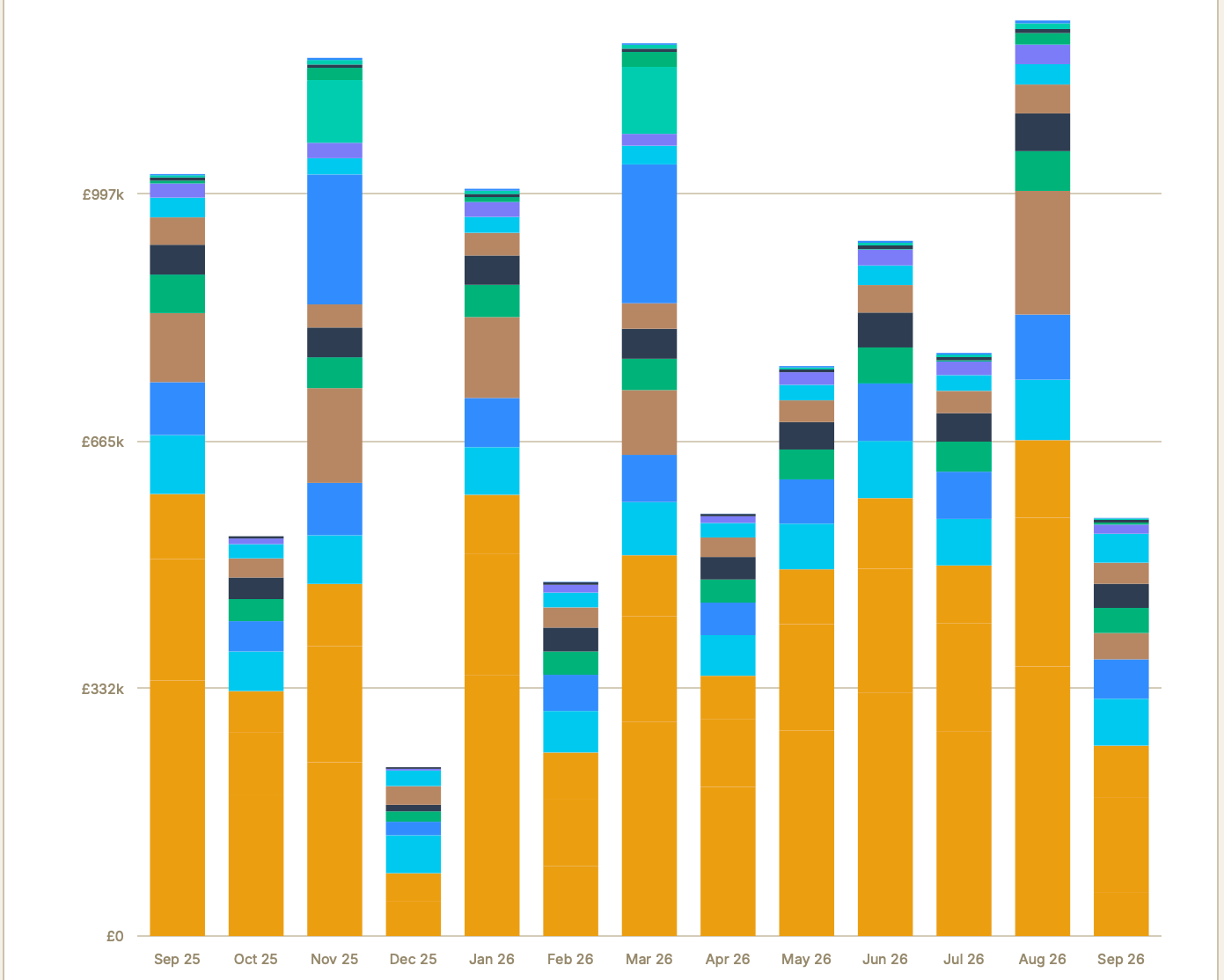
Budget allocation, Groups view — baseline in grey against this plan in green for each channel, with the change under eachOptimal monthly phasing — this plan's spend by month from Sep 25 to Sep 26, stacked by channel
Where · grey is baseline, green is this plan
Fast · approximate · 9 channels above observed weekly activity
Fast ~17 s · Full ~36 s on a 24-channel model · Stop returns the best plan so far in under 2.5 s — measured on a laptop
This optimisation example
Optimiser run · £10.5M · Sep 2025 – Sep 2026 · 57 weeks
+72.2%
Contribution vs baseline · 57 weeks
0.38
Volume ROI · KPI units per £
£10.5M
Spend · same as baseline
Scenario projection from a fast, approximate run, not a promise of uplift. One channel cost to check.
BenchmarkPhilometrix v2.5.0 vs one other desktop planning tool41 scenarios41 wins or ties0 lossesscored on the other tool’s own objective
Each scenario gives both tools the same budget, the same channel minimums, caps and off-switches and the same fitted curves, and scores them on the objective the other tool is built to maximise. Versions and per-scenario results are logged. Matching another optimiser is a separate question from improving on your current plan.
04 · Local by design

Your data stays on your machine.Nothing about your model goes online.

Nothing to upload
Spend data is read from your disk, and every fit and optimiser run happens on your own processor. Models and exports are files you own.
Two small checks online
The licence check sends your email and a device identifier, plus your computer’s name when you sign in. The update check only downloads the latest version number; like any web request it reveals your IP address. Neither carries model data.
Works offline
Once you are signed in, Philometrix runs without a connection for up to 14 days, and checks your licence again the next time you are online.
£250 per seat / month, billed annually at £3,000 £300 billed monthly
Download Buy annual
05 · Questions

What buyers ask before they install.

Your data1 of 8

Does our data leave the machine?

No.

Spend data, models, exports and optimiser runs stay on your computer. Two things go online: the licence check, which sends your email and a device identifier, plus your computer’s name when you sign in; and the update check, which only downloads the latest version number and carries nothing about you or your models. Like any web request, both reveal your IP address.

Something else? support@philometrix.com